

Do not rush to buy a new router: the Wi-Fi problem can be solved with a simple piece of foil
Don't rush to buy a new router: a simple piece of foil can solve your Wi-Fi problem
The issue of a Wi-Fi signal working well in some rooms at home but being weak in others is familiar to many. You don't always need to buy a new router or an expensive signal booster for this. Using ordinary aluminum foil, you can redirect the router's signal in the desired direction and improve coverage in "dead zones."
Aluminum foil has the property of reflecting electromagnetic waves — which is why it can be a cheap and effective helper in redistributing the existing wireless signal. A router broadcasts the Wi-Fi signal in all directions, but not every area around the device in an apartment needs the same coverage. For example, if there is a wall or a neighboring apartment behind the router, there is no point in sending the signal in that direction. In addition, walls and large furniture can scatter or even absorb waves, leading to connection drops.
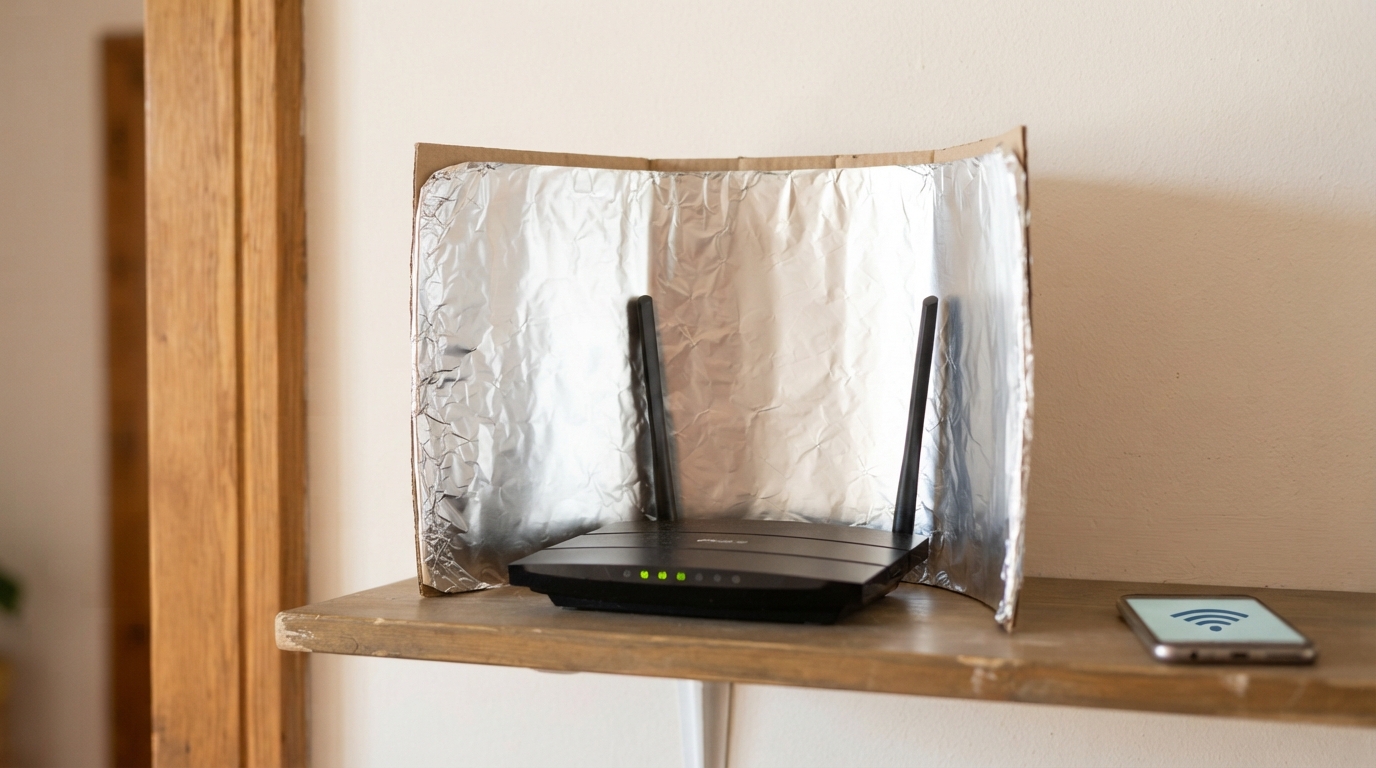
If you make a "screen" out of foil, bend it, and place it in a specific way, it will act as a reflector. With such a screen, you can redirect some of the radio waves that are currently going into a stranger's apartment or getting lost in space towards the zone of zero or poor coverage — the "dead zone." As a result, the internet will start working better.
Foil does not increase the technical power of the router and does not affect the internet speed. It only helps the signal reach places it usually doesn't reach.
Simply sticking a flat piece of foil on the wall is not enough. For the aluminum to work as a reflector, it must be given a curved (concave) antenna shape that concentrates the waves and "reflects" them in the desired direction to the part of the apartment you choose.
You will need a piece of thick cardboard, aluminum foil, and five minutes of time.
Cut a rectangle of about 30x40 cm from the cardboard. Bend its edges to give it an arc shape.
Wrap the piece of cardboard tightly with foil so that its surface is smooth, clearly curved, and free of tears or creases.
Place the finished reflector behind the router and point it towards the room where the signal is poor or does not reach at all.
A router is an electrical device that needs air circulation. It is strictly forbidden to block it from all sides with foreign objects. This will lead to overheating — instead of improving, the signal may disappear completely. Place the "screen" near the router, but do not press it flat against it.
The experiment with the reflector may not work in some cases — the characteristics of the apartment layout and the finishing materials used must be taken into account (some materials can "choke" the signal). Try different positions, change the angle of inclination and height.
If the internet works poorly in every room, the problem may not be the direction of the signal, but the incorrect placement of the router. Large cabinets, thick walls, and some insulation materials obstruct the signal. Try moving the device to the center of the apartment or use additional access points.