
MiniApps on Click SuperApp: another way to sell
Great news for business owners - until the end of the year, entrepreneurs who open a MiniApp on Click SuperApp can work with 0% commission for 3 months!
**MiniApps in Click SuperApp: A New Way to Increase Sales**
The basic rule in business is that wherever the customer is, the business should be there. Instead of attracting people to a new platform or encouraging them to download an additional application, you can offer them services in the digital environment they already use. For example, in Click SuperApp. This application brings together payments, transfers and various services for more than 23 million users in one place. Now the platform is also open to businesses that want to develop online: for this you can launch your own MiniApp in Click.
**What is a MiniApp and what are its capabilities?**
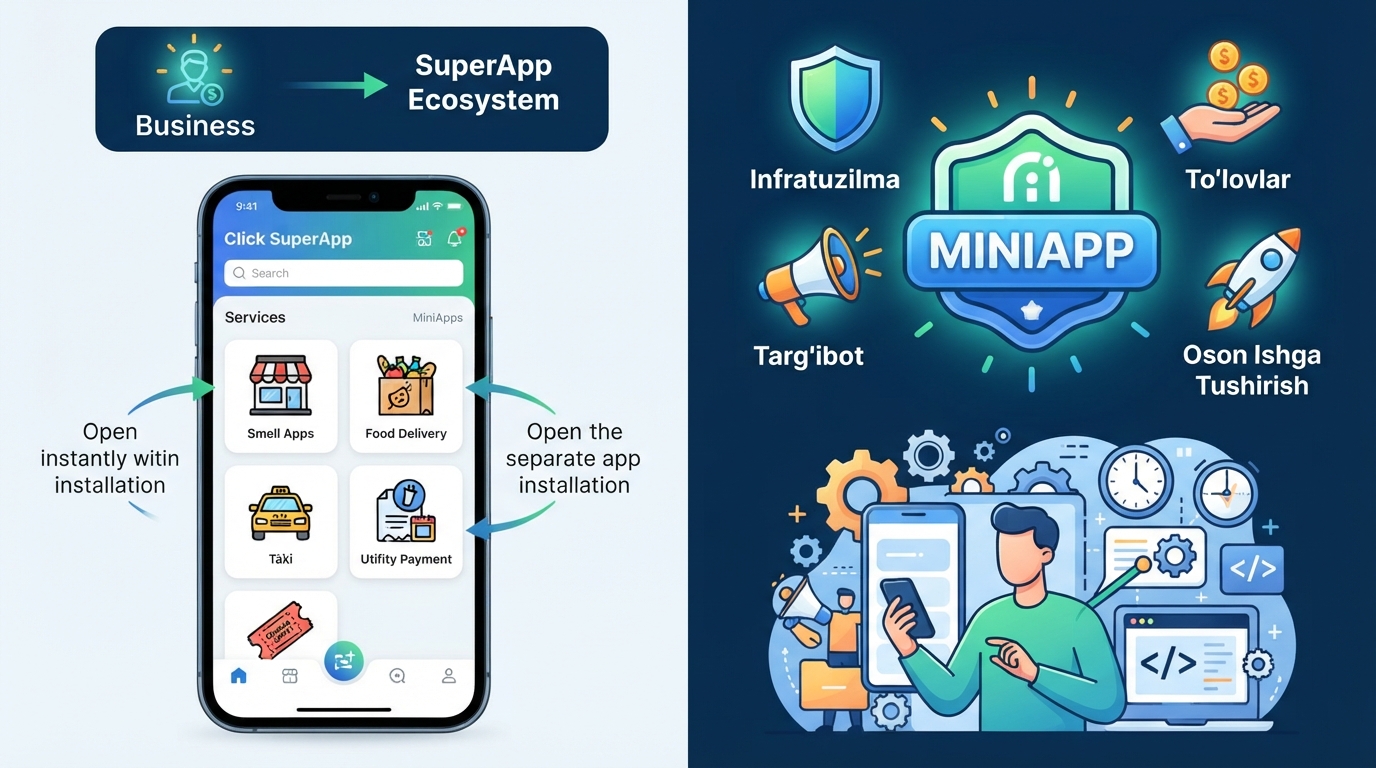
A MiniApp is a lightweight web application that runs inside the Click SuperApp. It opens in a few seconds and does not require the user to download a separate application or allocate additional memory on the phone. The user opens the MiniApp and uses the necessary service in the familiar environment of Click. For the customer, this is a convenient and seamless experience. For businesses, it’s an opportunity to reduce the need to encourage users to download another separate app.
**Create your own app or use a MiniApp?**
Any entrepreneur who has created or plans to create their own mobile app knows how resource-intensive this process is. Development, design, testing, placement in app stores for Android and iOS, and subsequent regular updates and technical support – all of this takes time and money. In addition, the finished app requires separate marketing resources to attract users and maintain their engagement.
MiniApp on Click changes this approach. Instead of building an audience from scratch, a business reaches out to users who are already active and familiar with using digital services within the platform. Click users usually open the app with a specific goal: to make a payment, place an order, transfer money, or use other services. MiniApp allows businesses to offer their products and services within this digital environment.
The issue of developing a MiniApp is also flexibly resolved. You can create it with your own team using the platform's documentation and tools. If you need help developing a MiniApp, the Click team will help you connect with trusted partners. To do this, just leave a request on the site - specialists will contact you and guide you through the next steps.
**Infrastructure available from the moment of launch**
One of the important advantages of MiniApp is that a number of features that would require time and resources to develop separately are provided as a ready-made infrastructure.
First of all, authorization. The user has already been authorized in Click SuperApp and does not need to go through this process again in MiniApp. This eliminates the need to re-enter the phone number and other data and makes it easier to use the service. In addition, information about the language and theme of the application is automatically transmitted to MiniApp - as a result, the service interface adapts to the user's settings in Click.
The next important aspect is payments. The platform supports two types of payment: a one-time payment for the order and a subscription model. This means that both online stores and services operating on a recurring payment basis can use Click's existing payment infrastructure.
Another important aspect is that the platform allows you to maintain the uniqueness of the partner brand.
MiniApp can have its own visual style, fonts and design solutions, while Click's UX/UI guide helps to make the product harmonious with the SuperApp environment and understandable to the user. This is complemented by features such as an introductory screen, search by name and tags, and sorting by region. As a result, the user can more easily find the necessary service and use it conveniently.
**Additional capabilities within the platform**
Launching a MiniApp is the first step. The next task is to inform users about the new service. In this regard, Click offers partners communication opportunities within its ecosystem.
Basic promotion options include posts and stories on Click’s Instagram and Telegram pages, as well as in-app news and push notifications. Partners are required to follow the current information trends in promotion channels and fill out a brief to participate in the corresponding campaign.
Additional promotion options are also provided on an agreement basis: individual banners, influencer marketing and digital activations, among others. In addition, each MiniApp will have its own direct link. It can be placed on the business’s social networks, advertising materials or other channels and direct the user directly to the MiniApp.
The platform continues to develop. Plans include paid promotion packages, tools for businesses to communicate directly with Click users, individual advertising campaigns, advanced analytics that allow tracking user paths and conversions, and QR codes for offline promotion. This will allow businesses that join the platform today to take advantage of new opportunities in the future.
**Clear rules are an important part of a stable ecosystem**
Clear and predictable rules are important for a stable platform. Click has clear moderation requirements for placing MiniApps. Goods and services that comply with legislation can be placed on the platform, while for some categories, appropriate licenses or permits are required.
Payments within the MiniApp are made through the Click infrastructure. This helps to ensure a uniform and understandable payment process for the user.
Launch requirements are also predefined: an offer in Uzbek, a description of the user journey, compliance with current legislative requirements for the protection of personal data, and proper connection of analytics. Versions in Russian, Karakalpak, and English are also recommended. The partner will be provided with the necessary documents and instructions, including offer templates, a moderation checklist, and a UX/UI guide. This makes the process of preparing and moderating a MiniApp much more understandable.
The customer support process is also well thought out. If a MiniApp customer calls the Click call center, the call center will answer general questions about the platform and FAQs, while questions related to a specific business or its service will be directed to the merchant’s own support service.
**How to launch a MiniApp?**
The process of launching a MiniApp on Click SuperApp consists of several steps. First, you need to register as a developer on the Click MiniApps platform. After that, you will familiarize yourself with the requirements for design, security, UX and content. Then, the necessary integrations are configured, an offer and user journey description are prepared, and an application is submitted. The application will be reviewed within five business days. After approval, the MiniApp is placed on SuperApp and made available to users.
If the business does not yet have a ready-made MiniApp, the process can be started by applying on the site. The Click team will guide you through the next steps and, if necessary, help you connect with partners to develop the MiniApp.
The digital transformation of a business has long been associated with a large budget, long development time, and the need to build an audience from scratch. The MiniApp model at Click simplifies this process: the platform, payment infrastructure, existing audience, and most of the promotion tools are already ready.
As a result, the business can focus its resources on developing its products and services, rather than building a separate digital ecosystem from scratch. MiniApp allows the business to be closer to its customers in the digital environment they are already using.
Easily launch your MiniApp on Click SuperApp by the end of the year and earn 0% commission for 3 months!
Apply for MiniApp.
Based on advertising rights.